
Your brain for AI, on your device.
Every idea, note and piece of work your AI touches is kept on your computer and backed up. It moves with you to whichever AI you use next.
Free and open source (MIT). Version 0.8.0 · Windows 10/11 · Mac and Linux: run from source with Node.js 20+.
Works with the AI apps you already use
- Claude Code
- Claude Desktop
- Cursor
- VS Code
- Windsurf
- Codex CLI
- Gemini CLI
- LM Studio
- Cline
- Zed
Why Aiodize
One memory for every AI you work with
Chats forget. Tools change. Your ideas, decisions and half-finished projects shouldn't live inside any one of them.
On your device
Plain Markdown files in folders you own. No account, no cloud, no tracking. It even opens in Obsidian.
Backed up
A daily copy of your notes, rules and AI work history to a folder you choose: another drive, a USB stick, OneDrive.
Moves with you
Connect a new AI app and it picks up everything on its first day. Chat-only AIs get a context pack you can paste in.
How it works
Two minutes from install to an AI that remembers
Install
Run the Windows installer. Or paste the GitHub link into Claude Code, Cursor or Codex and say install this: it explains Aiodize and asks before doing anything.
git clone https://github.com/ravirahul/aiodize.git
cd aiodize && node setup.js
One-minute setup
Five short cards: where your notes live, backups, which AI apps to connect. The last card lists exactly what will change, and that's your agreement. Every file is backed up first.
Your AI finishes it
Ask your AI Set up Aiodize for me. It looks at your folders and proposes workspaces, rules and project notes for you to accept. From then on it reads your context before it works and logs what it did after.
A look inside
See your thinking, and what your AI did with it
A graph you'll actually open
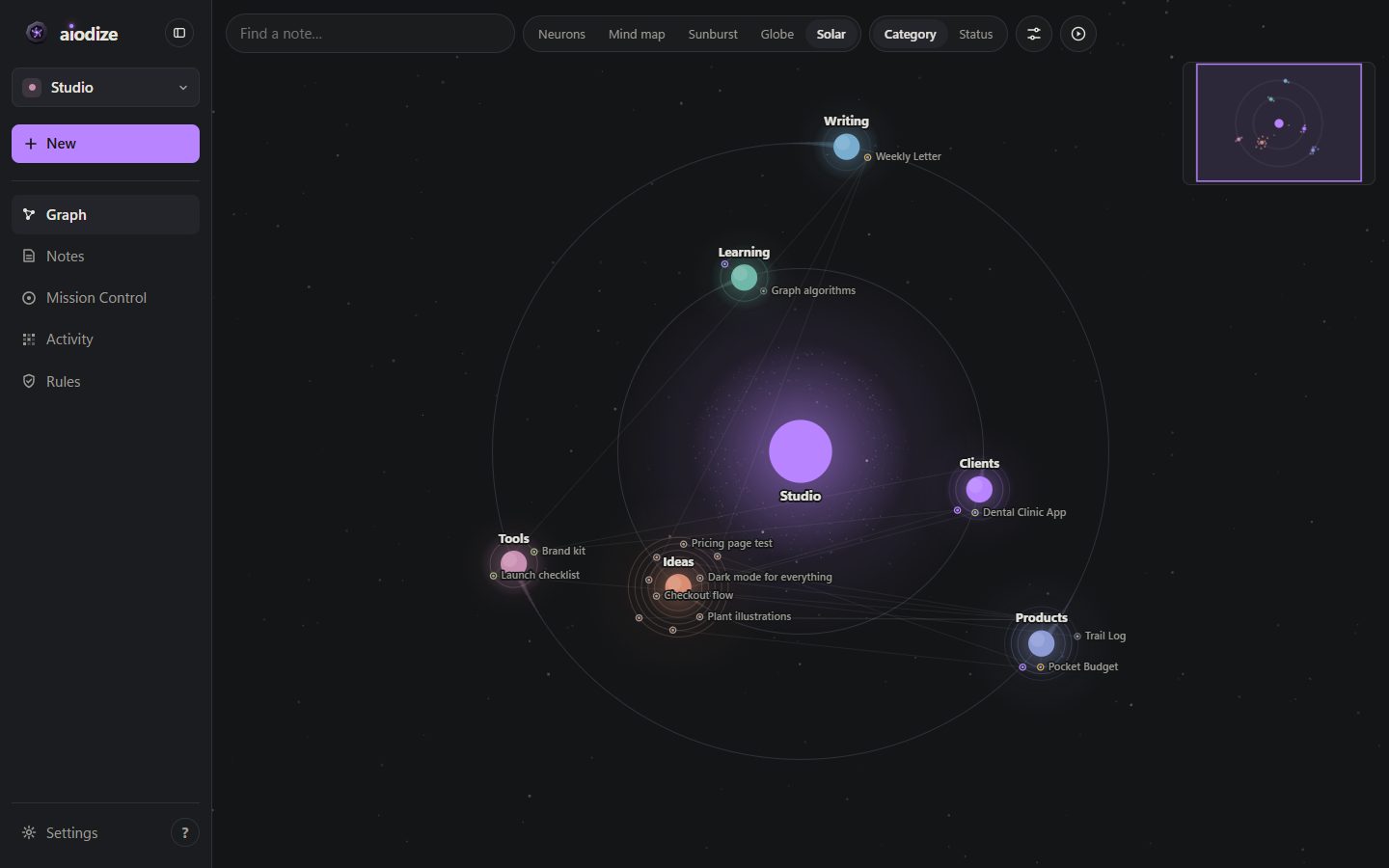
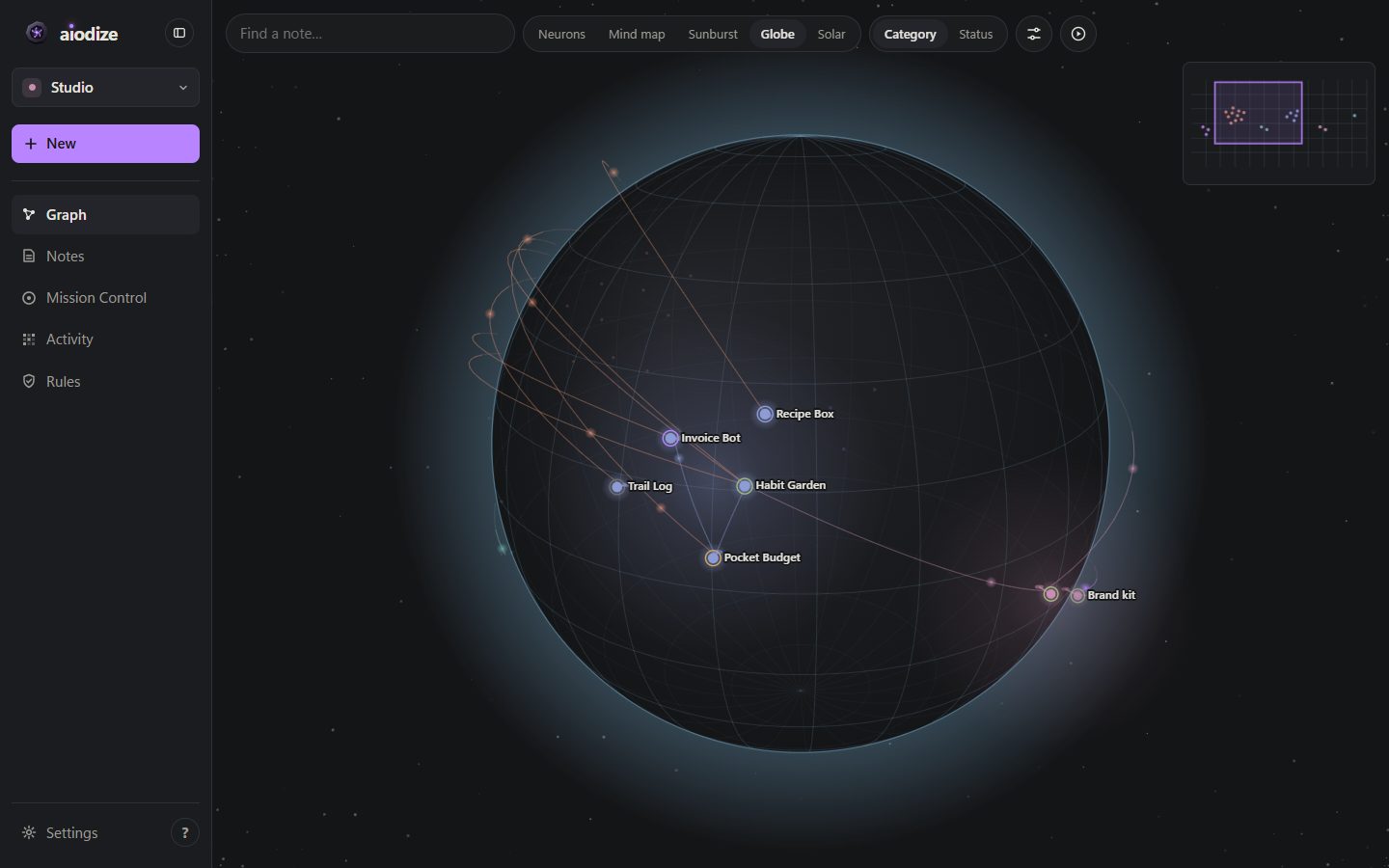
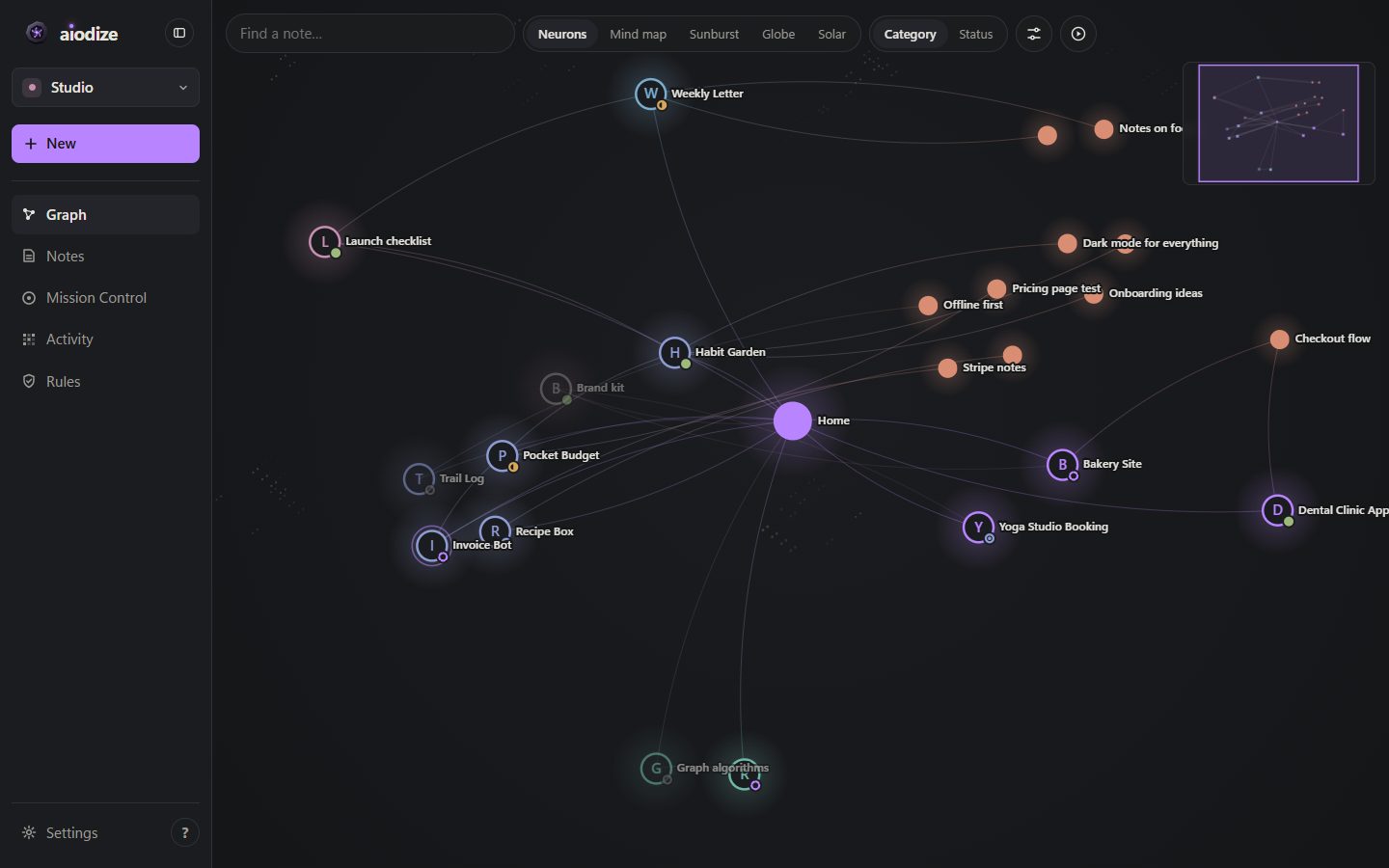
Five ways to see the same notes: Neurons, Mind map, Sunburst, a 3D Globe and a Solar system. Search lights up matches, and a timeline replays your vault growing day by day.
Mission Control for your agents
Every Claude Code session is matched to its project: tokens, models, skills, cost. A live feed shows every edit by you or an AI, and each one can be undone.
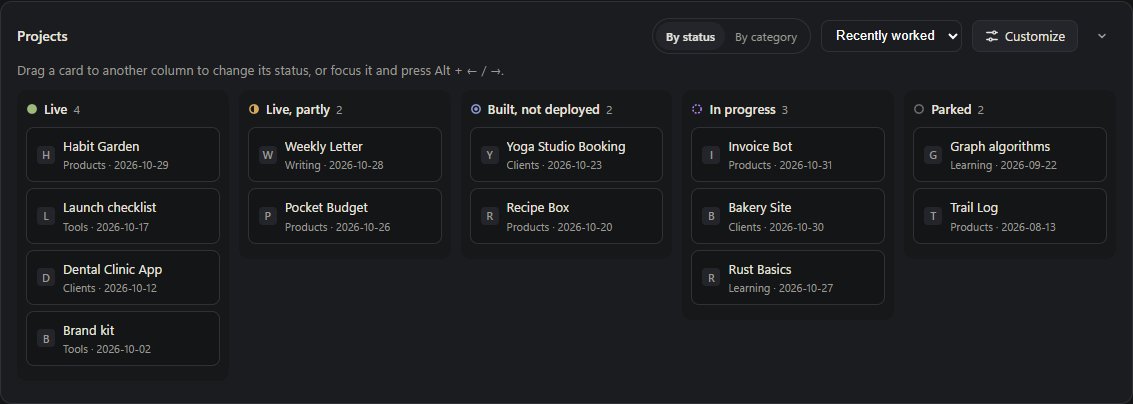
- Pick next: what's closest to done
- A board with your own statuses: drag to move
- A weekly digest written into your notes
Rules your agents follow
Keep work and personal apart with workspaces. Write in plain words what an AI must never touch (a client's site, your email, the browser) and Aiodize turns it into hard limits for Claude Code.
Privacy
Nothing to trust us with
Aiodize runs on your computer at 127.0.0.1. There's no Aiodize server, account or analytics. Your AI apps talk to it locally.
What stays on your computer
- All your notes, as plain Markdown files
- Rules, statuses and history of every edit
- Backups, in the folder you choose
- Your AI session stats, read from your own logs
What leaves it
- Project icons: Aiodize fetches the small icon of each project's own website so the graph looks right. That's all.
- Your AI apps work as they always do; Aiodize doesn't send anything to them that they don't ask for.
Questions
Good to know
Is it really free?
Yes. Aiodize is open source under the MIT license. There's nothing to sign up for.
Windows says the installer is from an unknown publisher
The installer isn't code-signed yet, so Windows SmartScreen may warn the first time. Choose "More info", then "Run anyway". Or read the code and run it from source on GitHub.
Does it work on Mac or Linux?
Yes, from source: install Node.js 20 or newer, then git clone the repository and run node setup.js. Native installers for Mac and Linux are planned.
Can I use my existing Obsidian vault?
Yes. Aiodize finds your Obsidian vaults during setup. It reads and writes the same Markdown files, so both apps keep working side by side.
What about ChatGPT?
ChatGPT's apps only connect to servers on the internet, and Aiodize keeps your notes on your device. Export a context pack (Settings, Agents) and upload it to ChatGPT instead.
How do I undo everything?
Settings, Agents, Disconnect everything removes Aiodize from every AI app it connected, and only what it added. Your notes stay where they are: they were always just files.